
Booking a medical appointment can be a daunting process if you don’t know it well enough while dealing with your own concerns. To book an appointment at King George’s Medical University (KGMU), Lucknow, follow a quick, simple, and convenient procedure to ensure a stress-free and timely operation.

How To Book An Appointment In KGMU Online?
This report will provide you with an ultimate guide on how you can book your or your dear ones’ appointment online at King George’s Medical University in Lucknow without any hassle, as well as all the information you need regarding cancellation, helpline, rescheduling, and more.
How To Do Online Registration At KGMU: Step-By-Step Guide
The first and foremost thing you ought to do if you need medical assistance at King George’s Medical University is get the patient registered at the Online Registration System launched by the Indian Government. It is necessary to complete the registration process at the ORS Patient Portal before booking an OPD appointment. Here are the steps you need to follow-
- Go to the ORS Patient Portal official site- ORS Patient Portal
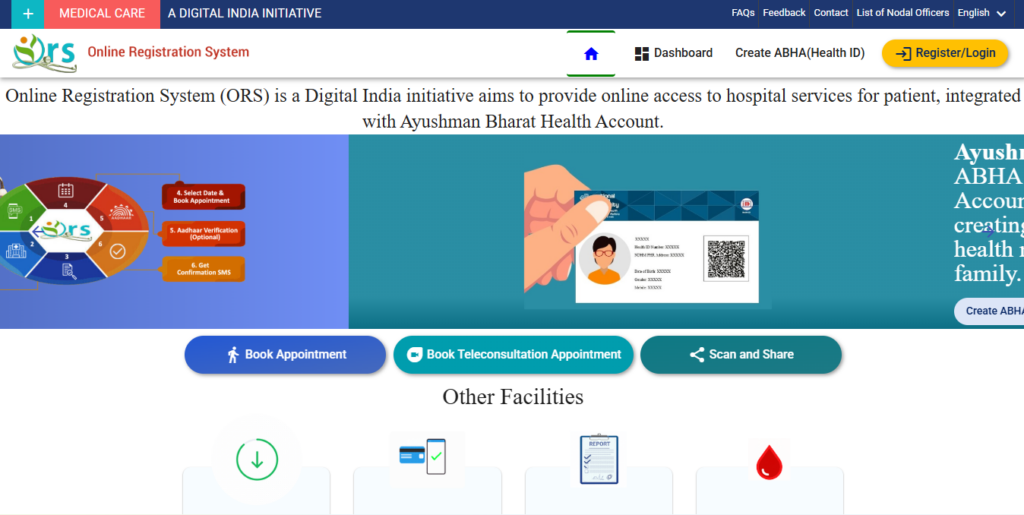
Open your browser and visit the ORS Patient Portal using the link above
- Click on the Login/Register button-
On the homepage, there will be an option to log in or register to start the process
- Choose the preferred registration method-
You will have two options available,
Mobile Number registration
ABHA (Health ID) registration
To register with a mobile number:
- Enter your mobile number
- Verify the OTP (one-time password) sent to your phone
- Once verified, log in to complete the registration
To register with ABHA (Health ID):
- If you are using ABHA ID, select ‘Using ABHA ID’
- Click on ‘Create ABHA ID’ and enter all required details
- Once your ABHA ID is complete, log in to complete the process
- Add family members if you want to (optional). You can add up to six members under the same mobile number for booking your appointment online
- Book your appointment-
Once your registration is complete, you can book an online appointment for any available hospital on the ORS Portal and avail other services as well.
How To Book An OPD Appointment Online In KGMU?
Once you are registered on the ORS Patient Portal, you can follow the process below to book your appointment at KGMU via the ORS Portal itself.
- Open the ORS Portal-
Visit the Online Registration System Portal ORS Patient Portal through your browser
- Click on ‘Book Appointment’-
On the homepage, you will see the ‘Book Appointment’ option. You can choose if you want to book an in-person visit at the hospital or a remote consultation appointment.
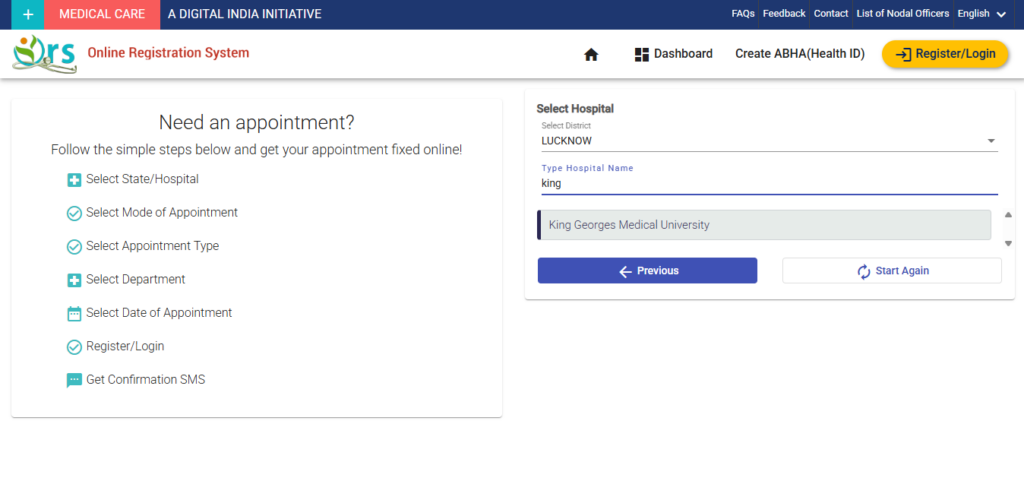
- Select your State and desired Hospital-
Select ‘Uttar Pradesh’ as your state
Select King George’s Medical University, Lucknow from the list
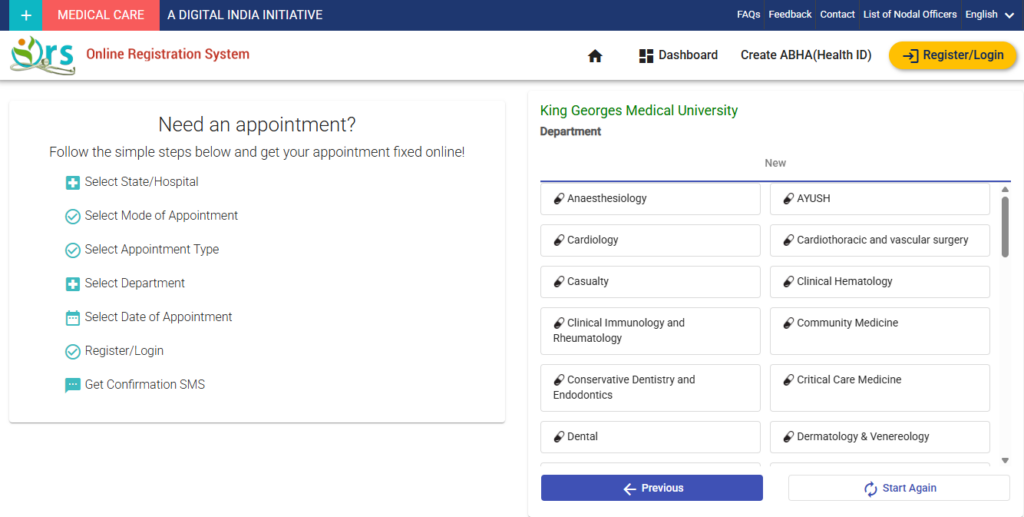
- Choose the department-
From the available departments, select the one you want to book an appointment at
- Pick a date & time
Select your choice of date and time you want an appointment at KGMU from the available dates and time slots in the list
- Enter patient’s details-
Fill in all the required details of the patient, like name, age, gender, medical history, reason for visit and more
For a quicker process of general information, you can link your mobile number, ABHA ID or Aadhaar number.
- Confirmation and make payment (if applicable)-
Confirm the patient’s details, check if all the details are filled correctly and make a fee payment if required and complete the process
- Receive confirmation and download the slip-
Once you are all done, you will receive a confirmation message with all the details to confirm your appointment
Download or print the slip for the visit to the hospital
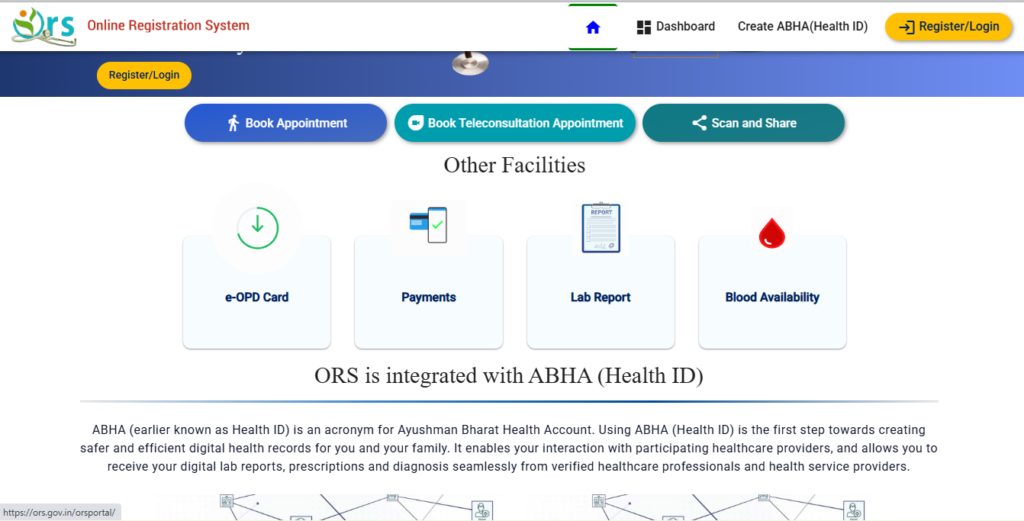
Official Email & Sources To Book A KGMU Appointment
Online Registration System (ORS) Patient Portal- ORS Patient Portal
KGMU’s official email- info@kgmcindia.edu
Cancellation And Rescheduling Appointment At KGMU
Yes, you can cancel or reschedule your appointment at the ORS Portal as per your choice. Make sure to keep your mobile number and ID safe for better access. These instructions will help you either way-
- You can rebook or reschedule if you are unavailable at the appointed date or time or if you missed your slot
- You can cancel your appointment before the appointment date
- If you are rescheduling, be sure to check the appointment status and download the slip again.
Available Departments At KGMU
King George’s Medical University offers a wide range of departments according to your health concerns, whether you want a general consultation or specialized opinion. There are limited slots for booking, so to avoid hassle, check the ORS Portal beforehand. Here’s a list of available departments at KGMU on the ORS Portal-
- General Medicine
- Neurology
- Orthopedics
- Cardiology
- Gastroenterology
- Dermatology & Leprosy
- ENT (Ear, Nose & Throat)
- Psychiatry
- Nephrology
- Obstetrics & Gynecology
- Pediatrics
- General Surgery
- Urology
- Ophthalmology (Eye Care)
- Emergency Medicine
- Pulmonary & Critical Care
- Endocrine Surgery
- Rheumatology
- Oncology (Cancer Treatment)
- Dentistry (All Dental Specialities)
- Geriatric Care (Senior Citizen Health)
- Plastic & Reconstructive Surgery
- Radiology & Radiotherapy
- Community & Family Medicine
OPD Schedule and Timings At KGMU
OPD schedule and timings at KGMU are available on the ORS Patient Portal. KGMU Hours-
General OPD- Monday to Saturday from 9:00 A.M. to 2:00 P.M.
OPD Registration- Monday to Saturday from 8:30 A.M. to 12:00 P.M.

Helpline & Support At KGMU
Helpline Number- the helpline and support number at KGMU for all your needs and queries are 0522-3539333 and 0522-2258880.
Email ID- official mail ID of KGMU is info@kgmcindia.edu for any kind of assistance you need.
Available Phone Numbers- for any call-related inquiries, contact +91-522-2257451, +91-522-2257452 or +91-522-2257453.
FAQs
How to book an appointment at KGMU online?
- Register at ORS Patient Portal
- Select KGMU, Lucknow
- Fill in all the necessary details
- Confirm and download the slip
Where is KGMU located in Lucknow?
The King George’s Medical University is located at Shah Mina Road, Chowk, Lucknow, Uttar Pradesh 226003.
What are the OPD timings at KGMU?
General OPD timings- Monday to Saturday from 9:00 A.M. to 2:00 P.M.
OPD Registration timings- Monday to Saturday from 8:30 A.M. to 12:00 P.M.
Helpline contact of KGMU for online appointment?
Available contacts at KGMU for support are 0522-3539333 and 0522-2258880.
What is the official website of King George’s Medical University?
The official King George’s Medical University website is kgmu.org
Can I cancel or reschedule my appointment at KGMU?
You can cancel or reschedule your appointment through the ORS Patient Portal.
Does KGMU offer consultation via telecommunications?
Yes, KGMU offers consultation both in-person visits at the hospital and remote consultations.
What is the official email id of King George’s Medical University?
The official email id of King George’s Medical University is info@kgmcindia.edu. For any query, you can contact KGMU via email.
What departments are available at King George’s Medical University?
KGMU has many departments available, such as General Medicine, Neurology, Orthopedics, Cardiology and more.
Booking an appointment has become a simple and easy task. You can follow the instructions as mentioned above and book your slots.